
Ya’ll, when I say I’ve been looking forward to Divi 5’s release for YEARS now, I’m not joking. Divi 5 is about to completely revolutionize the way Divi works from the ground up. Exciting changes are on the horizon, and it’s important to understand how this major update could affect your WordPress website!
If you’re one of my previous clients, you’re already familiar with the power of the Divi drag-and-drop editor. I’ve been using Divi to design websites for my clients since 2017 because it offers complete customization, control over the design, and an intuitive interface that’s incredibly easy to use.
Since I started working with Divi, most of the updates have focused on building on the foundation of Divi 4. But this time, we’re looking at a MAJOR overhaul of how Divi looks and functions, with significant updates coming that will change how we work with this tool. This update is expected to roll out in 2025, so it’s best to start preparing now for the transition. But don’t worry—I’m here to ensure the process is smooth and seamless for you!
In this blog post, I’ll explain Divi 5’s new features and improvements, answer frequently asked questions, and demonstrate the updated interface.
Before we dive into the FAQs, let’s take a closer look at the exciting features coming with Divi 5.
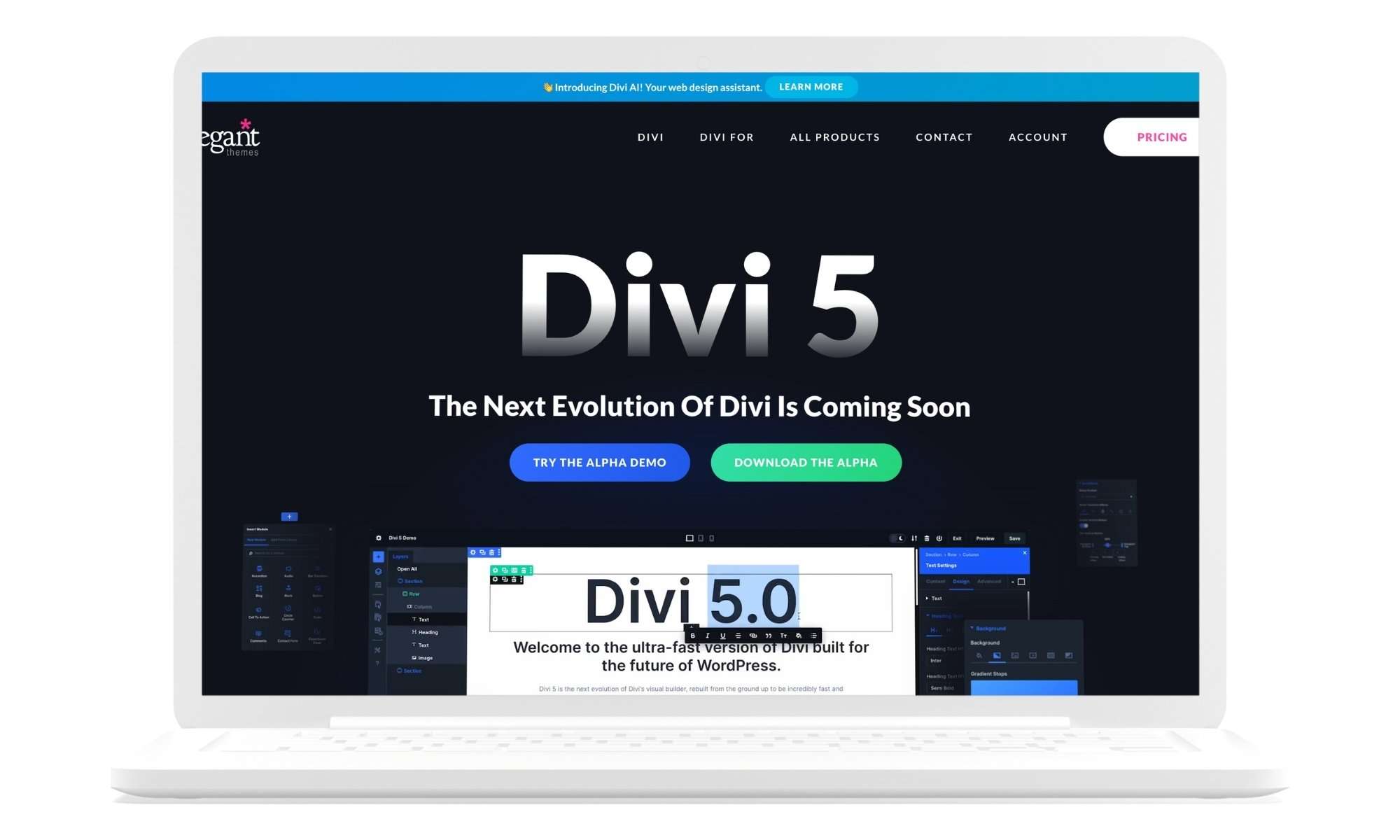
What Is Divi 5?
Divi 5 comes from the developers of Divi 4 and is not just an update but a complete transformation of the underlying structure of Divi. With improved performance, a new developer framework, and better scalability, Divi 5 aims to future-proof websites while maintaining backward compatibility with Divi 4.
Divi 5 Features
Divi 5 is packed with exciting new features, but here are the top 10 you need to know.
1. One-Click Editing
One of the most exciting new features in Divi 5 is One-Click Editing. In previous versions of Divi, to access a settings panel, you had to search for the settings toolbar and click the gear icon. Now, you can click anywhere on the module to immediately bring up the settings panel. This new functionality dramatically reduces the number of clicks needed to edit your design, saving you tons of time in your workflow and making the entire design process more fluid.
2. Robust Right-Click Context Menu
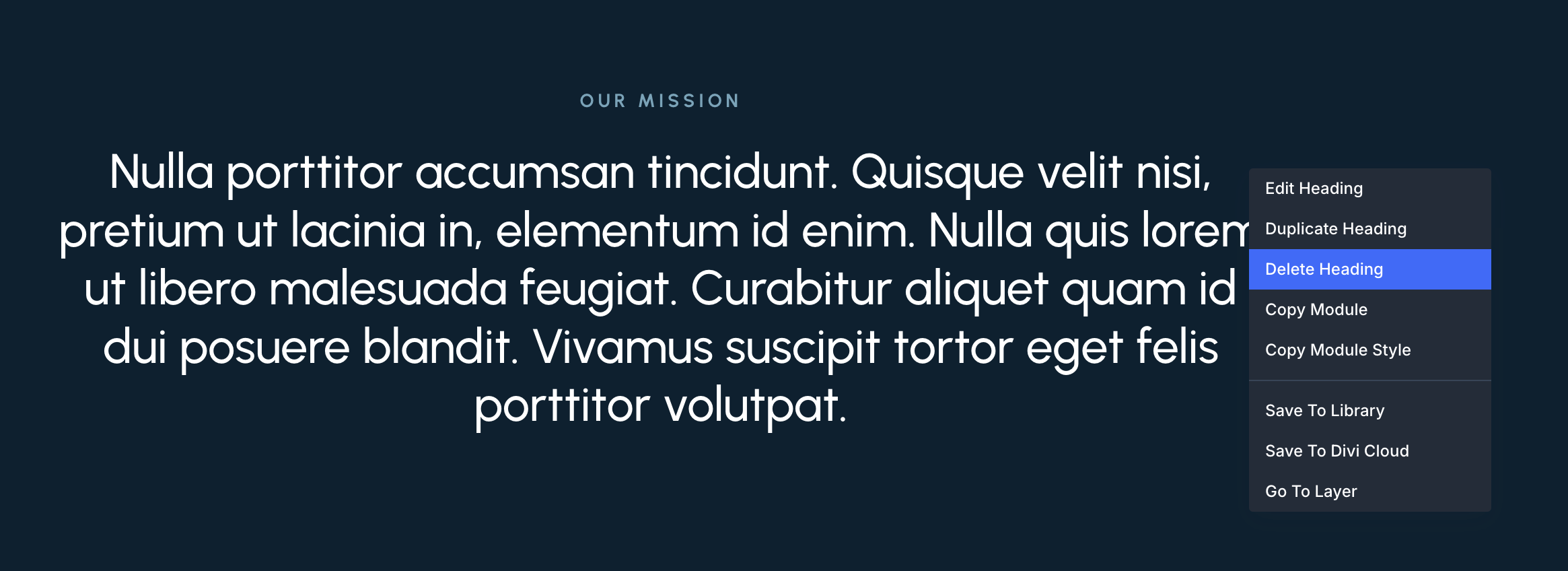
Divi 5 introduces a new, more robust Right-Click Context Menu that allows you to access common controls with ease. Right-click on any module or section to quickly duplicate, copy styles, or save to the library—without digging through multiple menus.
3. Multi-Panel Docking & Tabbed Panels
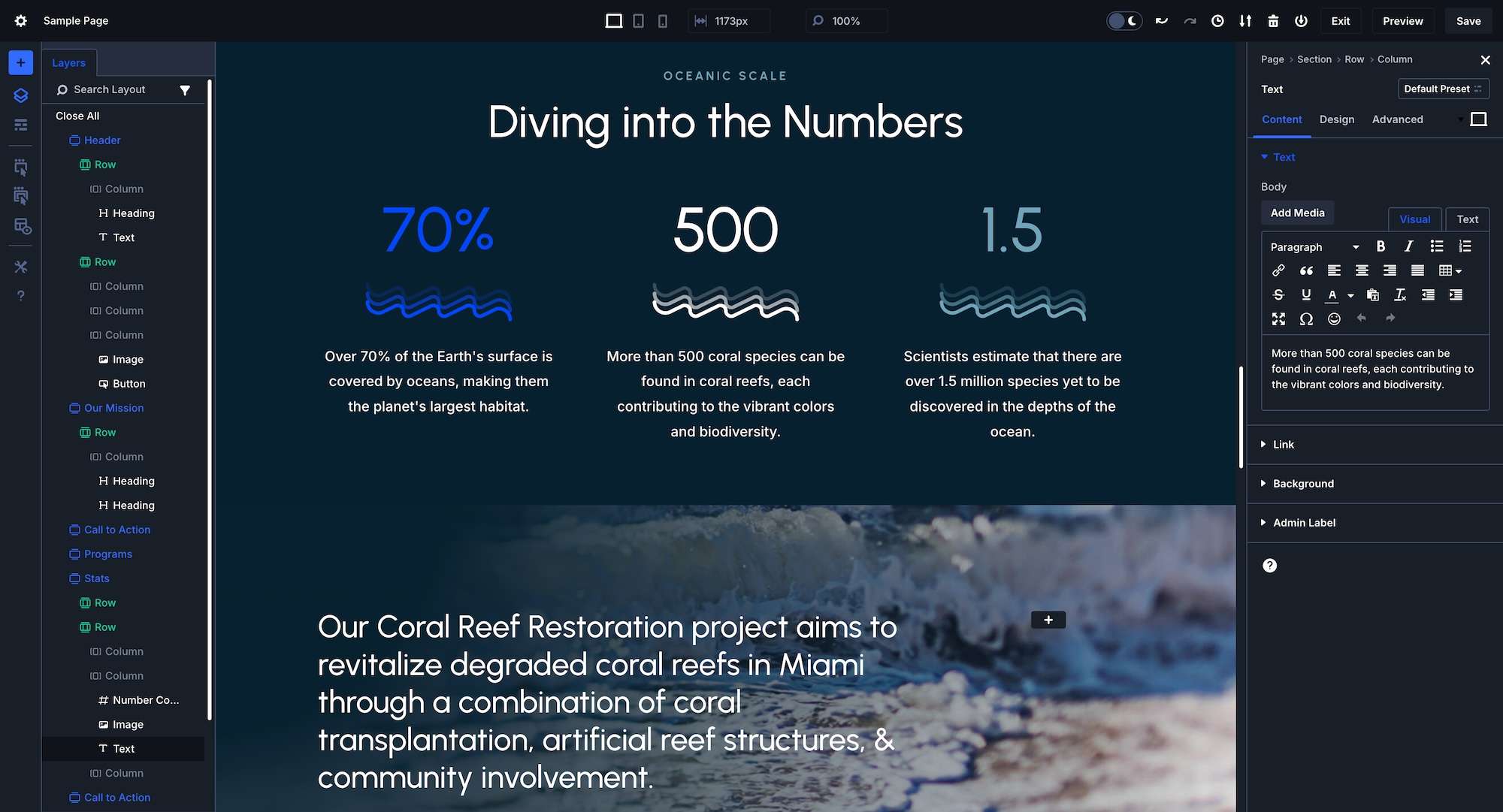
With Divi 5, you can dock multiple settings panels side-by-side or group them into tabs, allowing you to quickly jump from one thing to another. In Divi 4, switching between different settings meant closing one panel to open another, which cluttered the workspace and slowed things down. This new feature makes multitasking and managing complex designs SO much easier.
4. Light & Dark Mode Editor
One of the most requested features has FINALLY come to Divi! Divi 5 now has the option for the editor to display in Light Mode or Dark Mode! You can manually switch between the two or have it set based on your computer’s environment/preference. I’m so glad they rolled this feature into Divi 5 because dark mode makes working on designs much more comfortable by removing the harshness of the computer’s bright light and easing eye strain.
5. Faster and Easier Mobile-Responsive Editing + Hover and Sticky Styles
Mobile-responsive design, hover effects, and sticky elements are important parts of creating a mobile-responsive and dynamic website. In previous versions of Divi, adding hover effects required you to open up every design element individually to add hover effects to them. Now, with Divi 5, it’s as simple as clicking a dropdown button and then editing multiple elements at once. This removes SO many clicks, speeding up the process and making responsive websites so much easier to create.
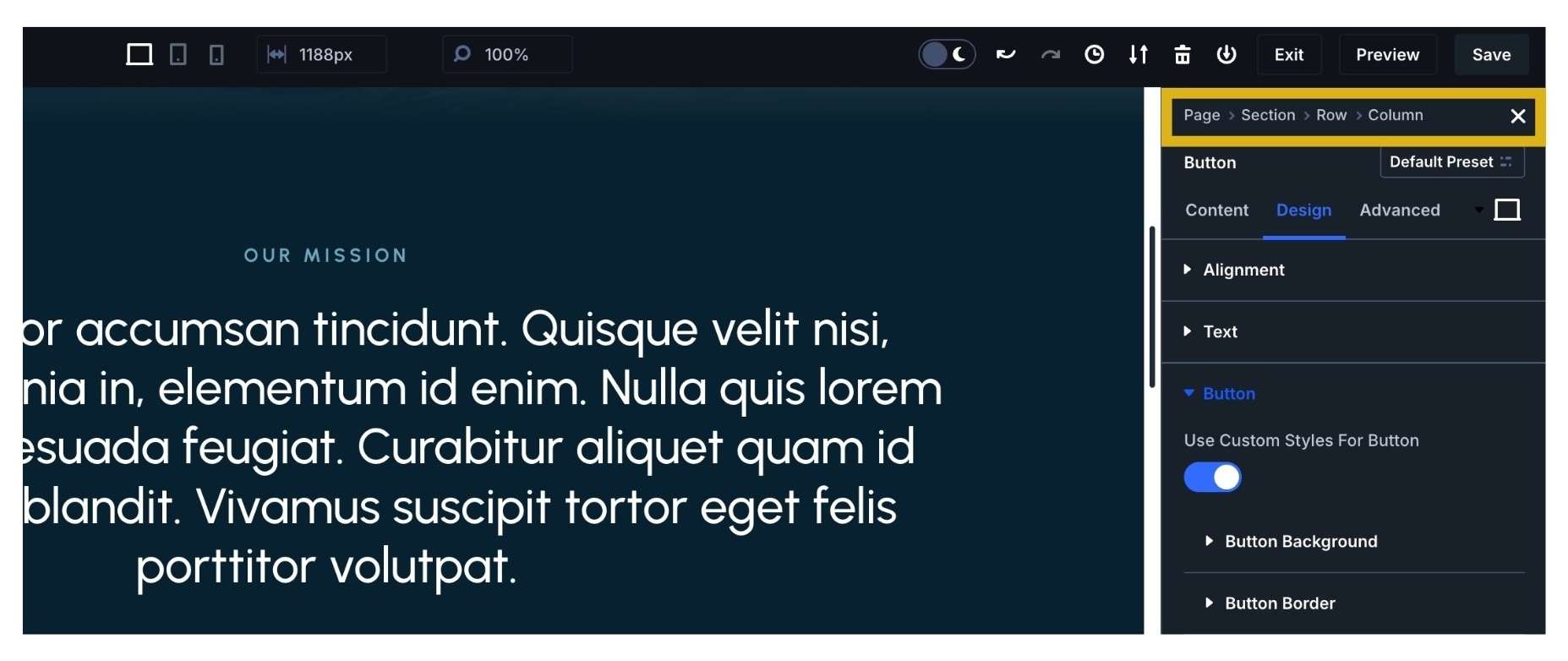
Ever find yourself lost in nested settings in Divi 4? Divi 5 now has Settings Panel Breadcrumbs, a new feature that shows you exactly where you are within the settings and makes navigating and finding what you need easier. Breadcrumbs appear at the top of the settings panel, providing a clear hierarchy and allowing you to easily jump between different layers of settings. This feature eliminates confusion and helps streamline your design process.
7. Canvas Scaling: Preview Custom Window Sizes Faster
In addition to the pre-set desktop, tablet, and phone window port views, Divi 5 introduces Cavas Scaling, an easier way to size down a design without having to resize your browser window manually. This allows you to see how your design looks across all different screen sizes without having to use the inspect element and then dragging the console window. Notice how the top toolbar shows exactly the numerical window size you’re at when dragging the canvas size. This will be super helpful when it comes to writing media queries!
8. Smaller Docked Panels: No More Overlapping Design
Editing panels in Divi 5 stay to the left or to the right by default, making it easier to see your design as you work on it. Previously, setting window panels would overlap your design when they were open. This would cover up parts of your page as you were working on it, which was frustrating, to say the least. You’d have to constantly move the window panel around to see what you needed to see. Now, with smaller settings panels and the ability to dock (and undock) settings panels, it’s much easier to see design elements as you work on them.
9. Animation-Free Editor
Sure, animations are fun, but only if they don’t slow down speed. And unfortunately, that’s exactly what would happen with the Divi 4 editor. In Divi 5, they’ve cut out all the Divi Builder animations, which cut out bloat and made the UI lightning-fast. Such a HUGE time-saver!
10. Speed & Performance Improvements
Divi 5 runs faster and more efficiently than ever before because it’s stripped away all of the unnecessary animations and optimized the codebase. The new block-based architecture eliminates the need for shortcodes, improving load times and reducing server strain. Changes in the builder are reflected instantly, with faster rendering times and smoother interactions.
PHEW! I know there was a lot to cover, but the future looks BRIGHT, my friends! I’m super stoked.
Which new Divi 5 feature are you most excited about? Tell me in the comments!
Are you now wondering what the main differences between Divi 4 and Divi 5 are? Keep scrolling because that’s what we’re going over next!

What Are the Main Differences Between Divi 4 and Divi 5?
The differences between Divi 4 and Divi 5 are more than just a set of minor updates – it is a foundational overhaul of how Divi works, with major changes to the core architecture, performance, and functionality. To help really paint the picture, here’s a breakdown of the key differences:
Core Engine Rebuild
Divi 4 is built on Divi’s original architecture, which was based on shortcodes and incrementally improved over time with features like the Theme Builder and dynamic content. Divi 5, however, is a complete rebuild of Divi’s backend. The core codebase is being revamped to make Divi faster, more efficient, and future-proof. This update is more about restructuring Divi’s engine to make it easier to maintain and enhance with new features in the future.
Improved Performance
Divi 4’s performance enhancements made big strides over time, but it could still be pretty resource-heavy, especially for complex sites with lots of content and design elements, which gave it some lag time. Divi 5 is designed with a focus on speed and efficiency. It will load faster, have more optimized CSS and JavaScript, and significantly improve both backend (Builder) and frontend (website) performance. This means faster load times, better SEO, and a smoother editing experience.
New Developer-Friendly Framework + Module Extensibility
One of the things I’m most excited about is Divi 5’s emphasis on a developer-friendly framework! Extensibility is a key focus, with plans to allow for custom modules and greater control over existing modules. Developers and designers will have more freedom to create unique designs and functionalities beyond what’s available by default. I am so excited to start building all the Divi ideas I’ve had in my noggin over the years but never had the time to develop. I can’t wait to use these custom functionalities to make my client’s websites stand out even more.
Enhanced Scalability
Divi 4 could handle a wide range of websites well, but large, complex sites can sometimes experience slower performance and challenges with scalability. Divi 5 is being designed to scale more efficiently. This means better performance for enterprise-level websites or those with high traffic without sacrificing design quality or load speed.
7. Future-Proofing and Long-Term Support
While still a powerful and popular theme, Divi 4’s architecture has reached its limits in terms of what can be built on top of it. Divi 5 is built with the future in mind and lays the ground for more long-term growth and continuous enhancements. The new architecture will make it easier to implement future updates without the need for another complete rebuild.

Divi 5 FAQs
Have some questions about Divi 5? Below are a few that came to mind.
If you have any additional questions or concerns about Divi 5 and how it may impact your website, feel free to reach out, and I’ll be happy to guide you through the process!
Will my Divi 4 website stop working once Divi 5 comes out?
No, your website will not stop working when Divi 5 is released. Elegant Themes, the creators of Divi, have ensured that Divi 5 will be fully backward-compatible with websites built on Divi 4. This means your current design, content, and customizations will remain intact after the update. The primary goal of Divi 5 is to improve performance and future-proof the theme while keeping your existing website stable and functional. However, as with any major update, it’s a good idea to test your site on a staging environment before applying the update to ensure everything runs smoothly.
Can I stay with Divi 4 if I want to?
Yes, you can continue using Divi 4 if you prefer. There will be no immediate requirement to switch to Divi 5, and Divi 4 will still be supported for a period of time after the Divi 5 release. However, it’s important to note that future updates and features will be focused on Divi 5, and Divi 4 will eventually phase out of active development. While you may be able to stick with Divi 4 in the short term, upgrading to Divi 5 will give you access to new features, better performance, and long-term support.
Can you help me migrate my website from Divi 4 to Divi 5?
Absolutely! I am offering migration assistance exclusively to previous clients to ensure that your website transitions from Divi 4 to Divi 5 smoothly and without any issues. I’ll handle the entire migration process, from testing the update in a staging environment to ensuring your website remains fully functional and optimized. If you’re a current or past client, I can review your site and make any necessary tweaks to take full advantage of Divi 5’s performance improvements and new features. This ensures a seamless experience with minimal disruption to your live website.

Conclusion: Divi 5 Is About To Make Designing Websites a Whole Lot Better
I hope you’re just as excited as I am about Divi 5’s upcoming release (likely in 2025)! All of these improvements, new features, and functionalities will make designing and managing your website even easier.




0 Comments